Creating my own self-hosted Nvidia GeForce Now
I’m Simon, a 27-year-old passionate about innovation and exploration. Originally from Venezuela, I became a proud Canadian after living in Toronto for a few years. In 2020, I successfully exited my distributed computing company, selling its IP to a Canadian quantum computing firm. Since then, I’ve expanded into real estate investment, owning a portfolio of 38 properties across North and South America while developing SaaS solutions focused on mass personalized video generation and rendering engines.
In addition, I collaborate with a US-based company in the health EHR sector and have held engineering management positions across a wide range of industries, including aerospace, government, music, real estate, healthcare, robotics, and smart camera technology.
Outside of work, I’m a musician (piano, guitar, composition) and a hackathon enthusiast, where I thrive on building MVPs and connecting with diverse innovators worldwide.
Let’s connect and explore potential collaborations!
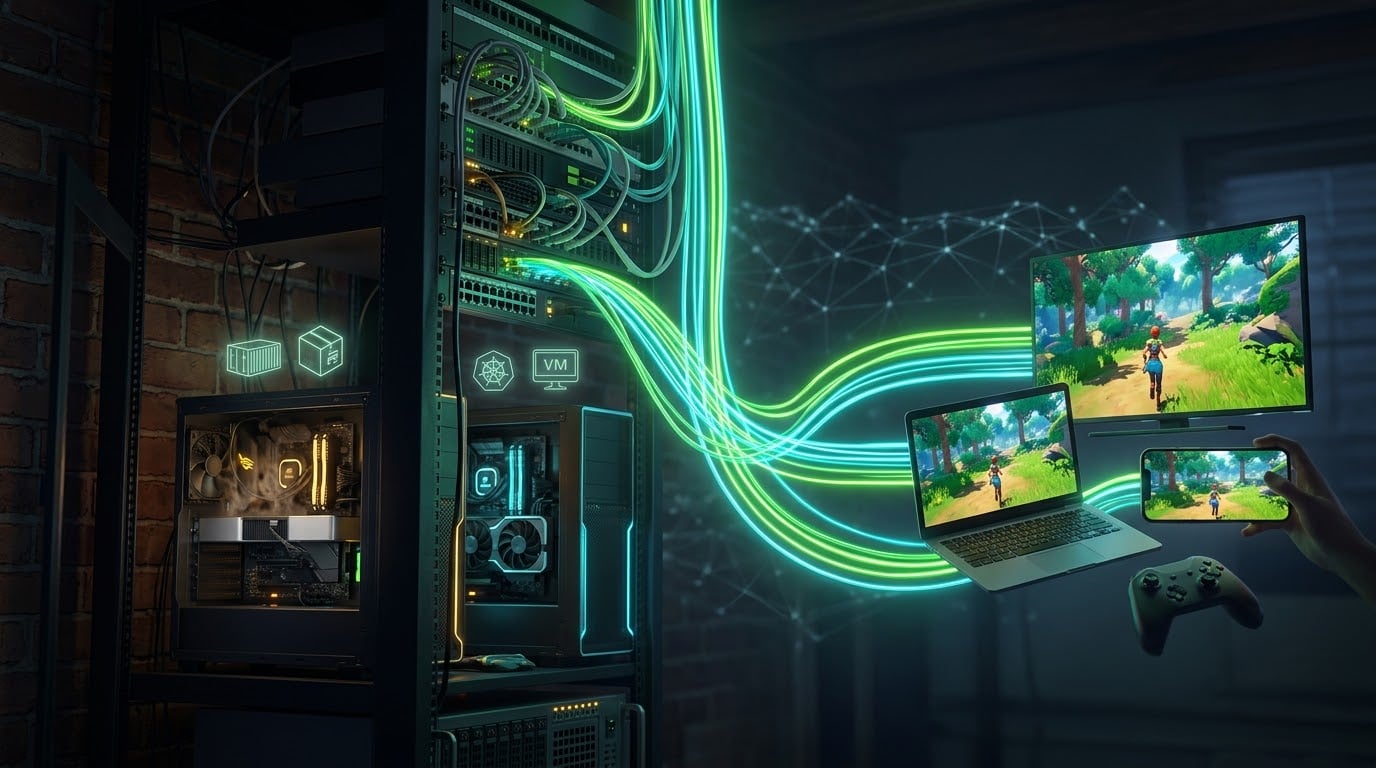
GeForce Now is magic: you open an app on a weak laptop, and a beefy GPU in a datacenter renders your game and streams it back. I wanted the same thing, but running on hardware I already own, sitting in my basement.
My homelab is a small Proxmox cluster. The main node, z840, has a Tesla P40 (24 GB VRAM, datacenter card, no display outputs, passively cooled) that runs my AI containers, ComfyUI among them. It also has a small Quadro M2000. A second node, z800, has an old GeForce GTX 1070 doing basically nothing.
The goal: stream my Steam library from these boxes to any device, anywhere, without taking the Tesla away from AI.
This post covers the decisions, the stack, and the one bug that ate most of an afternoon. Hopefully it saves you that afternoon.
Decision #1: VM passthrough vs. a shared GPU in a container
The obvious first idea was a Windows 11 VM with the GPU passed through via VFIO. It's the classic "gaming VM" setup, and it works well, but it has one big downside:
PCIe passthrough is exclusive. While the GPU is passed into a VM, the host and every other guest lose it completely.
That's fine for the spare Quadro M2000. For the Tesla P40 it's a non-starter, because that card is busy generating images and running models.
Can you split a GPU between VMs? Sort of:
NVIDIA vGPU officially supports the P40, but it needs licensed GRID drivers and a license server. It's a lot of enterprise machinery for a homelab.
vgpu_unlock-style hacks exist for consumer cards, but they're fragile and tied to specific kernel and driver versions.
The option that actually fit my situation:
Run the game in a Linux container that shares the GPU with the AI containers.
LXC containers on Proxmox don't "own" a GPU. They just get access to the host's /dev/nvidia* device nodes. Several containers can use the same card at the same time, the same way several processes on one Linux box can. ComfyUI keeps running, the game renders on the same P40, and the NVIDIA driver time-slices between them.
The trade-off: the game has to run on Linux. Thanks to Valve's Proton, most Windows games do now.
The stack
Here's what the final setup looks like:
Proxmox host (z840)
├── NVIDIA driver 580.x (kernel module, nvidia-drm modeset=1)
└── LXC 130 "gaming" (Debian 13, privileged)
    ├── NVIDIA userspace driver (same version, no kernel module)
    ├── Docker + nvidia-container-toolkit
    ├── Tailscale (remote access)
    └── steam-headless container
        ├── KWin (Wayland compositor) + Xwayland + Plasma desktop
        ├── Steam + Proton
        ├── Sunshine (game streaming host)
        └── Web UI / noVNC for setup
And on the client side: Moonlight, the open-source client that talks to Sunshine. It runs on Mac, Windows, iOS, Android, Apple TV, Steam Deck and more.
Why steam-headless?
steam-headless is a Docker image that bundles a full desktop session, Steam, and Sunshine, all built to run on a server with no monitor attached. That last part matters a lot: the P40 has no display outputs at all. steam-headless gives KWin a virtual display, renders on the GPU, and Sunshine captures and encodes that display with NVENC.
The layering (Proxmox → LXC → Docker) looks excessive, but each layer earns its place:
LXC gives me a lightweight, snapshot-able "machine" that shares the GPU.
Docker inside it lets me run the maintained steam-headless image instead of hand-assembling a desktop stack.
Step 1: Prepare the host
The driver has to match everywhere
The rule for GPU-in-LXC: the host runs the kernel module, and the container runs the exact same userspace version without the kernel module.
# inside the LXC
./NVIDIA-Linux-x86_64-580.159.03.run --silent --no-kernel-module
If the versions differ by even a patch release, you'll get the infamous Failed to initialize NVML: Driver/library version mismatch.
Turn on DRM kernel modesetting
This one surprised me. Modern Wayland compositors like KWin need the NVIDIA DRM driver running with modeset enabled. Without it, KWin failed with DRM_IOCTL_MODE_CREATE_DUMB: Permission denied and couldn't find the VK_EXT_external_memory_dma_buf extension it needs to share buffers.
echo "options nvidia-drm modeset=1 fbdev=0" > /etc/modprobe.d/nvidia-drm.conf
Then reboot. Pro tip: if nothing is using the GPU's DRM side (lsmod shows a refcount of 0 for nvidia_drm), you can skip the reboot entirely:
rmmod nvidia_drm && modprobe nvidia_drm
cat /sys/module/nvidia_drm/parameters/modeset   # Y
That's how I enabled it on the second node without breaking its 52-day uptime.
Make sure /dev/nvidia-modeset exists at boot
With modeset on, the container also needs /dev/nvidia-modeset. On a headless host, though, nothing creates that device node at boot, so after my reboot Proxmox refused to start the container:
TASK ERROR: Device /dev/nvidia-modeset does not exist in the container
The fix is a tiny oneshot unit that creates the node before guests start:
# /etc/systemd/system/nvidia-modeset-node.service
[Unit]
Description=Create /dev/nvidia-modeset for LXC GPU passthrough
After=systemd-modules-load.service nvidia-persistenced.service
Before=pve-guests.service

[Service]
Type=oneshot
ExecStart=/usr/bin/nvidia-modprobe -c 0 -m
RemainAfterExit=yes

[Install]
WantedBy=multi-user.target
The important line is Before=pve-guests.service, which guarantees the node exists before Proxmox auto-starts the container.
Step 2: The LXC container
I used a privileged Debian 13 container with nesting=1 (for Docker) and keyctl=1. Privileged containers are less isolated. That's an acceptable trade on a homelab box that runs a game launcher, but it's worth knowing.
Proxmox's devN: syntax makes device passthrough clean:
dev0:  /dev/nvidia0,mode=0666
dev1:  /dev/nvidiactl,mode=0666
dev2:  /dev/nvidia-uvm,mode=0666
dev3:  /dev/nvidia-uvm-tools,mode=0666
dev4:  /dev/nvidia-caps/nvidia-cap1,gid=44
dev5:  /dev/nvidia-caps/nvidia-cap2,gid=44
dev6:  /dev/dri/card0,gid=44
dev7:  /dev/dri/renderD128,gid=992
dev8:  /dev/uinput,gid=996,mode=0660
dev9:  /dev/uhid,gid=996,mode=0660
dev10: /dev/nvidia-modeset,mode=0666
dev11: /dev/fuse,mode=0666
dev12: /dev/net/tun
lxc.cgroup2.devices.allow: c 13:* rwm
lxc.mount.entry: /dev/input dev/input none bind,optional,create=dir
What each piece is for:
/dev/nvidia*: the GPU itself (compute, rendering and NVENC)./dev/dri/*: the DRM nodes the Wayland compositor renders through./dev/uinput,/dev/uhid,/dev/input, char major 13: virtual input devices. This is how Sunshine injects your controller, keyboard and mouse into the session./dev/fuse: needed by steam-headless's input daemon, which failed with a crypticNAMESPACEerror until I added it./dev/net/tun: needed by Tailscale.
The gid= values aren't decoration. The compositor refused to start with "Compositor render device must use a dedicated non-root device group" until the render node had a real group (render, gid 992 in Debian). Keep reading for why the mode=0666 entries matter so much.
Step 3: Docker + steam-headless
Inside the LXC: install Docker and the NVIDIA Container Toolkit, then make one LXC-specific tweak:
nvidia-ctk runtime configure --runtime=docker
sed -i 's/^#\?\s*no-cgroups\s*=.*/no-cgroups = true/' /etc/nvidia-container-runtime/config.toml
no-cgroups = true matters because the container runtime normally tries to manage device cgroups itself, and that fails inside an LXC whose cgroups are already controlled by the host.
The compose file I ended up with, after a lot of iteration:
services:
  steam-headless:
    image: josh5/steam-headless:latest
    restart: unless-stopped
    privileged: true          # it runs systemd as init
    runtime: nvidia
    network_mode: host
    ipc: host
    shm_size: 2G
    tmpfs:
      - /run:exec
      - /run/lock
    env_file: .env
    devices:
      - /dev/uinput
      - /dev/fuse
      - /dev/dri/card0
      - /dev/dri/renderD128
      - /dev/nvidia-modeset
      - /dev/nvidia-uvm
      - /dev/nvidia-uvm-tools
    device_cgroup_rules:
      - "c 13:* rmw"
    volumes:
      - ./home:/home/default:rw
      - ./games:/mnt/games:rw
Lessons from the iterations:
The image uses systemd as init. Fine-grained
cap_add/security_optmade it exit immediately with code 255, andprivileged: truefixed it.systemd wants to own
/run. Without thetmpfsmounts, services failed with "Failed to load environment files".Don't mount
/dev/inputread-only. The init script creates directories there and crashes if it can't.
Once it's up, the web UI on port 8483 walks you through first-time setup. Then you pair Moonlight with Sunshine using a PIN, and you're streaming a full Plasma desktop running on a Tesla P40.
Step 4: Remote access with Tailscale
Port-forwarding a game streaming server to the internet is a bad idea. Instead I installed Tailscale inside the LXC:
curl -fsSL https://tailscale.com/install.sh | sh
tailscale up --hostname=gaming
Now Moonlight on my laptop or phone connects to gaming over the tailnet from anywhere, with nothing exposed publicly. That's the "cloud" half of GeForce Now.
The bug: music, but no picture
With everything running, I launched Twelve Minutes. The music started... over a black screen.
The first clue: forcing Proton to use WineD3D (PROTON_USE_WINED3D=1 %command%), which translates DirectX to OpenGL, made the game display fine. Proton's default path, DXVK, translates DirectX to Vulkan, and that path gave a black screen. So the problem was Vulkan, not the game.
Going one level down:
glxinfoworked: Tesla P40, OpenGL 4.6. ✅vkcube"ran" but its window never appeared. ❌vulkaninfosegfaulted insidelibnvidia-glcore.so. ❌
I went through every theory:
mismatched ICD JSON files
mixed
egl-waylandlibrary versions between the Fedora image and the injected driver libsimplicit Vulkan layers (Steam overlay, OBS, etc.)
Wayland vs. X11 WSI
None of them was it. The breakthrough came from a simple bisection:
vulkaninfoworked perfectly in the LXC, but crashed one layer down in Docker.
Comparing the device nodes in the two places:
LXC:    crw-rw-rw- root root  /dev/nvidia-modeset
Docker: crw-rw---- root 44    /dev/nvidia-modeset
There it was. The node was owned by group 44, which is video on Debian. Inside the Fedora-based steam-headless image, gid 44 doesn't exist, and the desktop user wasn't in it. The user couldn't open /dev/nvidia-modeset, and instead of returning a clean error, the NVIDIA Vulkan driver dereferenced garbage and segfaulted.
The reason it took so long to find: it sometimes worked. Running vulkaninfo as root inside the LXC had the driver "helpfully" chmod the node to 0666. Any Docker container created after that inherited the fixed permissions, so my "fix" seemed to work, right up until the LXC restarted and the node came back as 0660. Classic heisenbug.
The real fix is a single setting in the LXC config:
dev10: /dev/nvidia-modeset,mode=0666
dev3:  /dev/nvidia-uvm-tools,mode=0666
Now Proxmox creates the nodes world-accessible every time the container starts. I confirmed it with a cold reboot of the container and no manual priming: vkcube spun happily on the desktop, and DXVK worked.
Takeaways from the debugging
Bisect the layers. Host → LXC → Docker → app. Find the lowest layer where it works and the highest where it breaks, then diff the two environments.
GIDs don't travel between distros. Group 44 is
videoon Debian and nothing at all in Fedora. Numeric ownership crossing a container boundary is a trap."It worked after I ran X" isn't a fix. If something only works after a manual step, that step is changing hidden state. Find out what it changes.
Proprietary drivers fail loudly in the wrong place. A permission problem showed up as a segfault in the GL core library. Don't trust where the crash happens to tell you the cause.
For headless Wayland screenshots, ask the compositor.
x11grabon rootless Xwayland returned nothing but black. KWin'sorg.kde.KWin.ScreenShot2D-Bus API gave me real frames to verify against.
Scaling out: a second node in 15 minutes
With the recipe nailed down, replicating it on the z800 node with its GTX 1070 was quick:
Enable
nvidia-drm modeset=1(live module reload, no reboot) and add thenvidia-modeset-nodeservice.Create LXC
gaming-z800with the same device list, withmode=0666from the start so the bug can't come back.Install the matching NVIDIA userspace driver, Docker, the container toolkit and Tailscale.
Copy the compose file and
.env, and generate a fresh Sunshine password.Verify with
vkcubeand a compositor screenshot.
One gotcha: my template-selection script grabbed debian-13-standard_..._arm64 because it sorted alphabetically. Always filter for your architecture with grep _amd64.
Now I have two "rigs": the P40 box for heavy games (shared with AI), and the 1070 box, which actually has fans.
Things to watch out for
Cooling a datacenter card. The P40 is passively cooled and expects server-chassis airflow. Under a game load it hit 89 °C. If you do this, strap a fan to it or set a power limit (
nvidia-smi -pl).Sharing means sharing. When ComfyUI is generating while you play, expect frame drops. Time-slicing isn't free, and VRAM is shared too.
Anti-cheat. Many competitive multiplayer games with kernel-level anti-cheat won't run under Proton. Check ProtonDB first.
32-bit games need the 32-bit NVIDIA libraries in the container too. steam-headless includes them, but it's worth verifying.
Privileged containers are a security trade-off. Keep this box on its own network segment, and expose it only over Tailscale.
Was it worth it?
Absolutely. For the cost of zero new hardware, I got:
🎮 A Steam library I can stream to my laptop, phone or TV from anywhere.
🧠 A Tesla P40 that keeps doing AI work instead of sitting locked inside a gaming VM.
🔁 A reproducible recipe I can deploy to any node with an NVIDIA GPU in about 15 minutes.
🐛 A deep appreciation for how many layers sit between "press play" and pixels on screen.
It's not quite GeForce Now: there's no 4080-class rig in a datacenter, and my upload bandwidth is the real ceiling. But it's mine, and it runs on hardware that was already humming in the basement.
If you build something similar, start with the device permissions. Future you will thank you. 🚀